Chords and Scales
The app's built-in music-theory reference: browse any chord or scale for a diagram and audio, then pick up the bass and have the app listen while you actually play it.
Two tiles in the Practice Hub — Chords and Scales — open onto the same idea: a reference you can browse, and a coach that listens. Look up a shape, hear it played back, then pick up the bass and have the app tell you whether you actually played it. Most theory references stop at the diagram. This one sticks around while you practice.
Chord Library
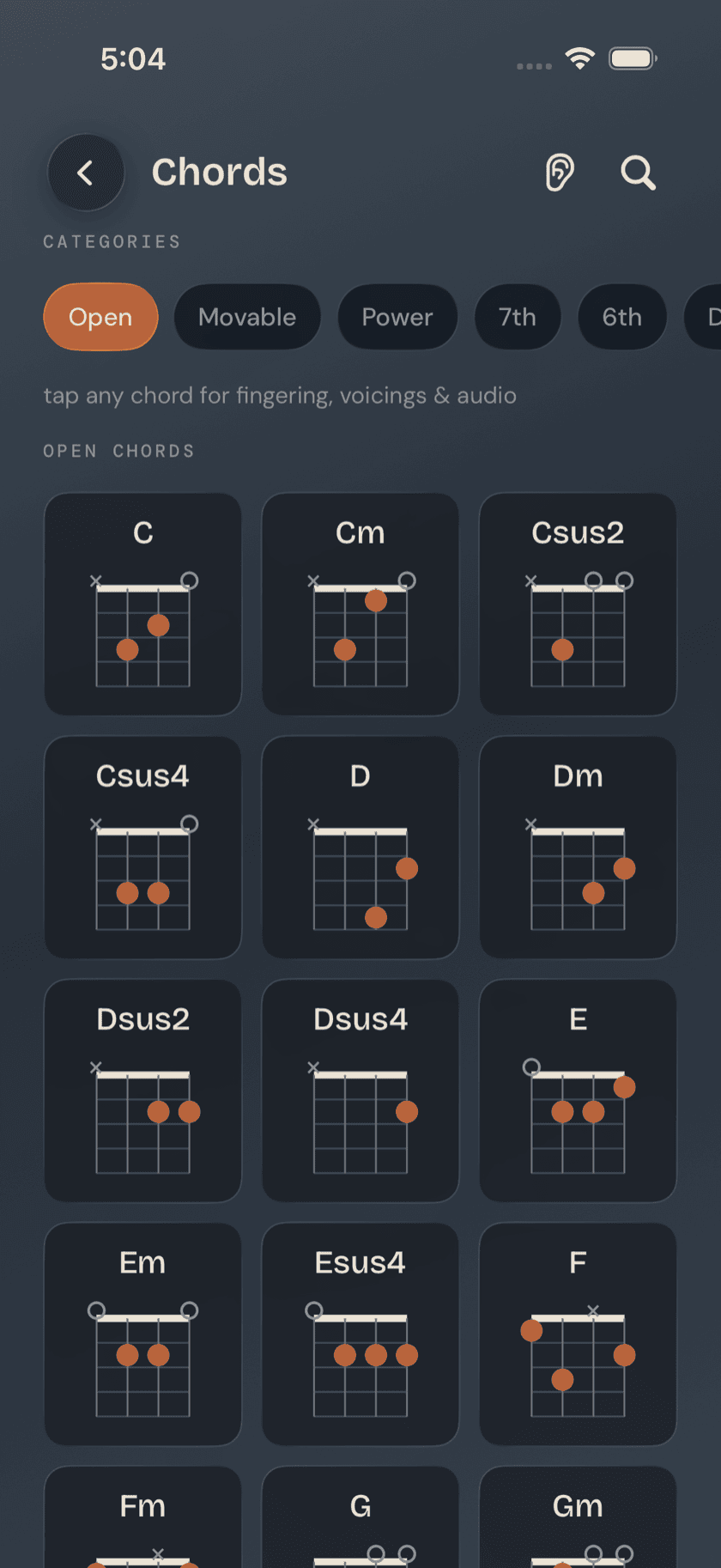
Browse by category: Open, 7th, 6th, 9th, Diminished/Augmented, Slash, plus a Saved category for anything you've favorited. The grid is filterable, so you can narrow it down to one category instead of scrolling past chords you already know.
Tap any chord and its detail page opens with a full diagram across the bass's four strings, alternate voicings further up the neck for when the open or first-position shape isn't where you need to play it, and the individual notes that make up the chord. Three playback buttons — Play, Arpeggio, Slow — let you hear it the way you're about to play it, or slowed down enough to catch every note. Underneath, a "commonly resolves to" suggestion points at the chord this one wants to move to — a V7 chord, for instance, points at the I chord it's built to resolve into. It's a small nudge toward hearing basslines as sentences instead of a pile of unrelated shapes.
Chord Finder
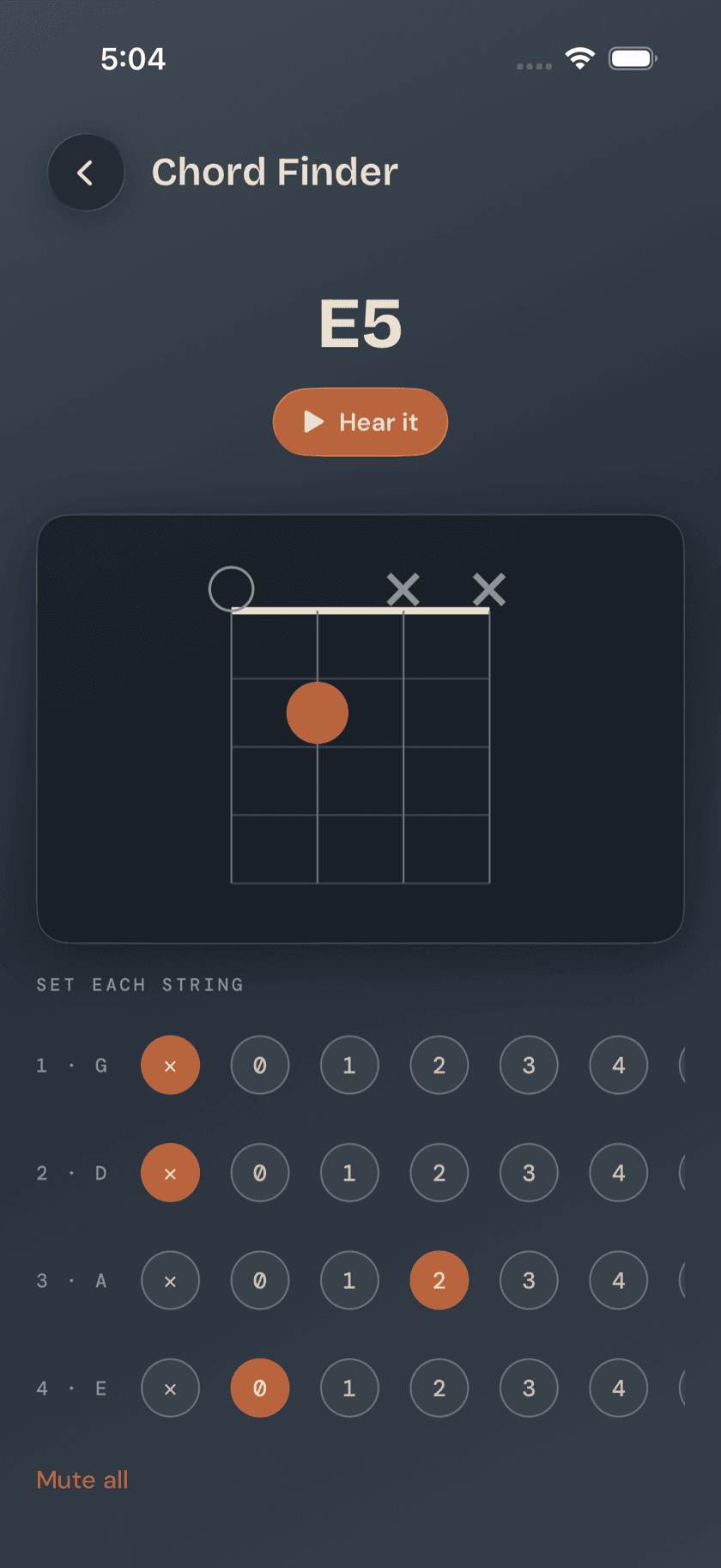
Chord Finder runs the lookup backward. Set each of the four strings to a fret with tap chips — or mute it — and the app names whatever chord you've built, with a matching diagram and a "hear it" button to confirm. It's for the moment you've got your fingers on a shape you half-remember and need to know what it's actually called.
Chord Coach
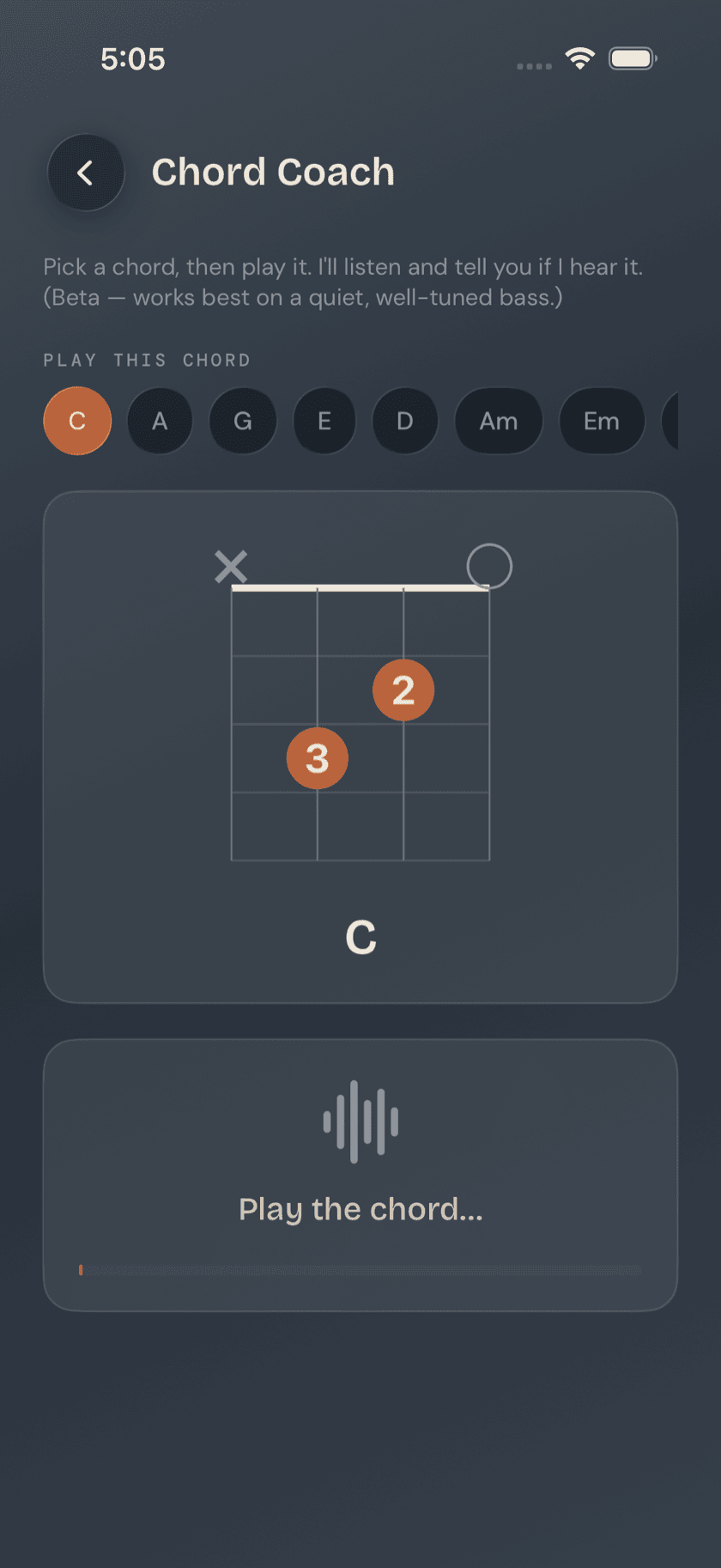
Pick a target chord and Chord Coach listens through the mic while you play it for real. It gives you gentle feedback — root and major/minor family, not a note-by-note score — so you know whether you landed in the right neighborhood without the pressure of a grade. This is the part that separates Bass Buddha's reference from a static chord chart: it's practice, not just lookup.
Worth knowing: Chord Coach checks the root and whether the chord reads as major or minor — it's not scoring every finger placement. The goal is a quick, honest checkpoint, not a pass/fail exam.
Scale Library
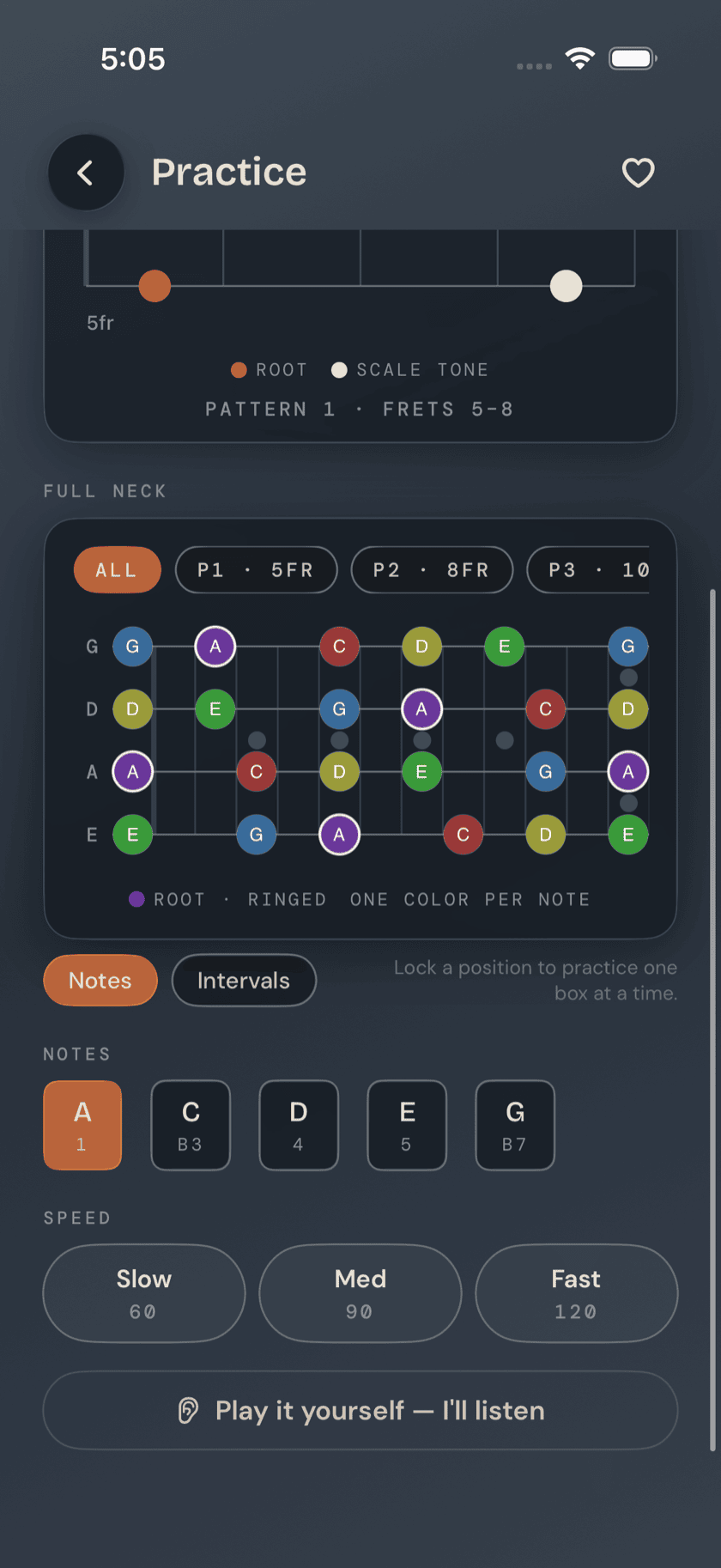
Scales browse the same way chords do: by category — Pentatonic, Blues, Major, Minor, plus Harmonic and Melodic Minor, and Modes — in a filterable grid. Each detail page shows a fretboard box diagram with root notes highlighted and every note labeled by scale degree, so you're not just memorizing a shape, you can see what each note is doing inside it. Slow, Medium, and Fast playback let you hear the scale at whatever speed matches where you're at.
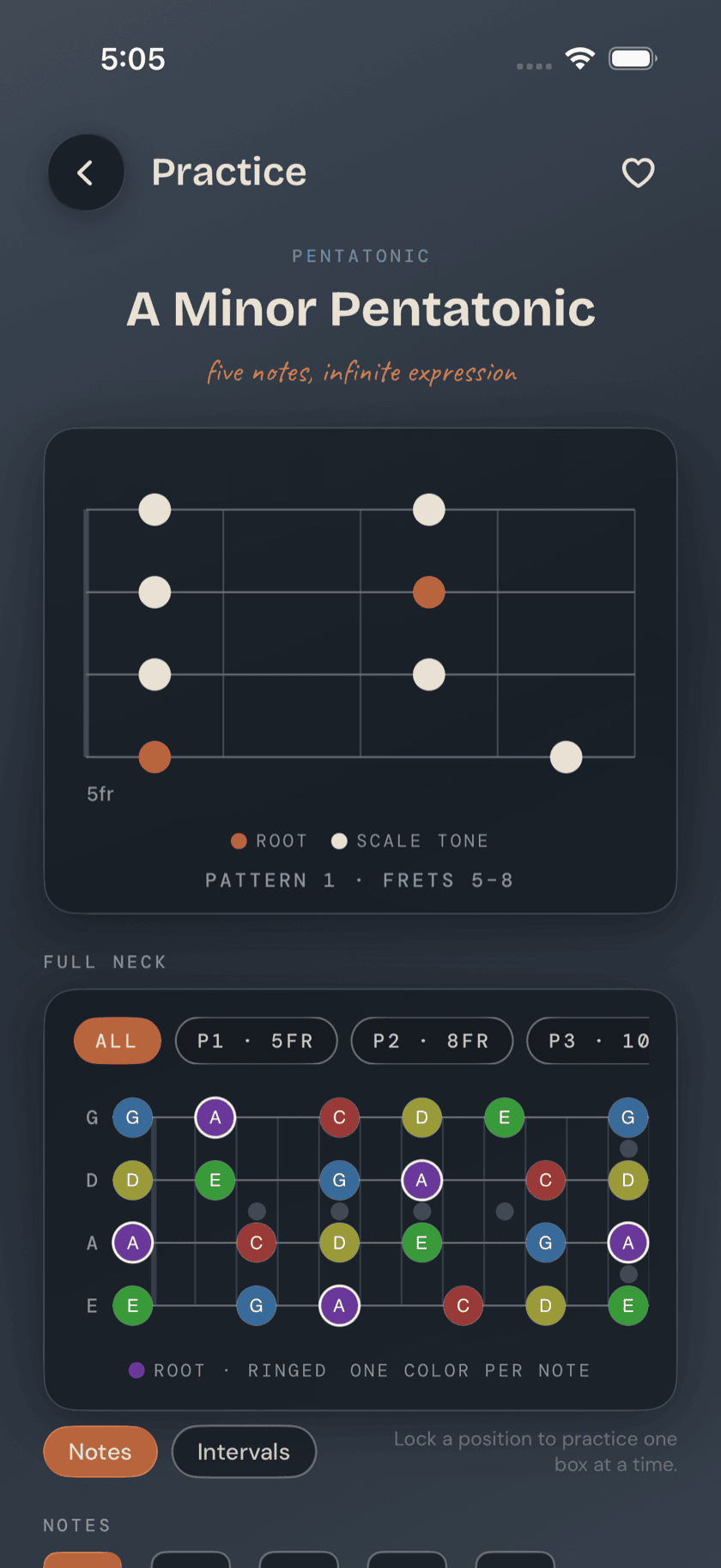
Scroll down on any scale's detail page and a second diagram opens up: a full-neck view spanning frets 0–12 across all four strings, with every tone in the scale marked, not just the one box you started in. Position windows on the full-neck view lock so you can isolate one shape at a time instead of taking in the whole neck at once, and a Notes/Intervals toggle switches every label between the letter name and the scale degree. It's the zoomed-out companion to the box diagram above it — useful once you're ready to see how the positions you already know connect into the rest of the neck.
Scale Coach
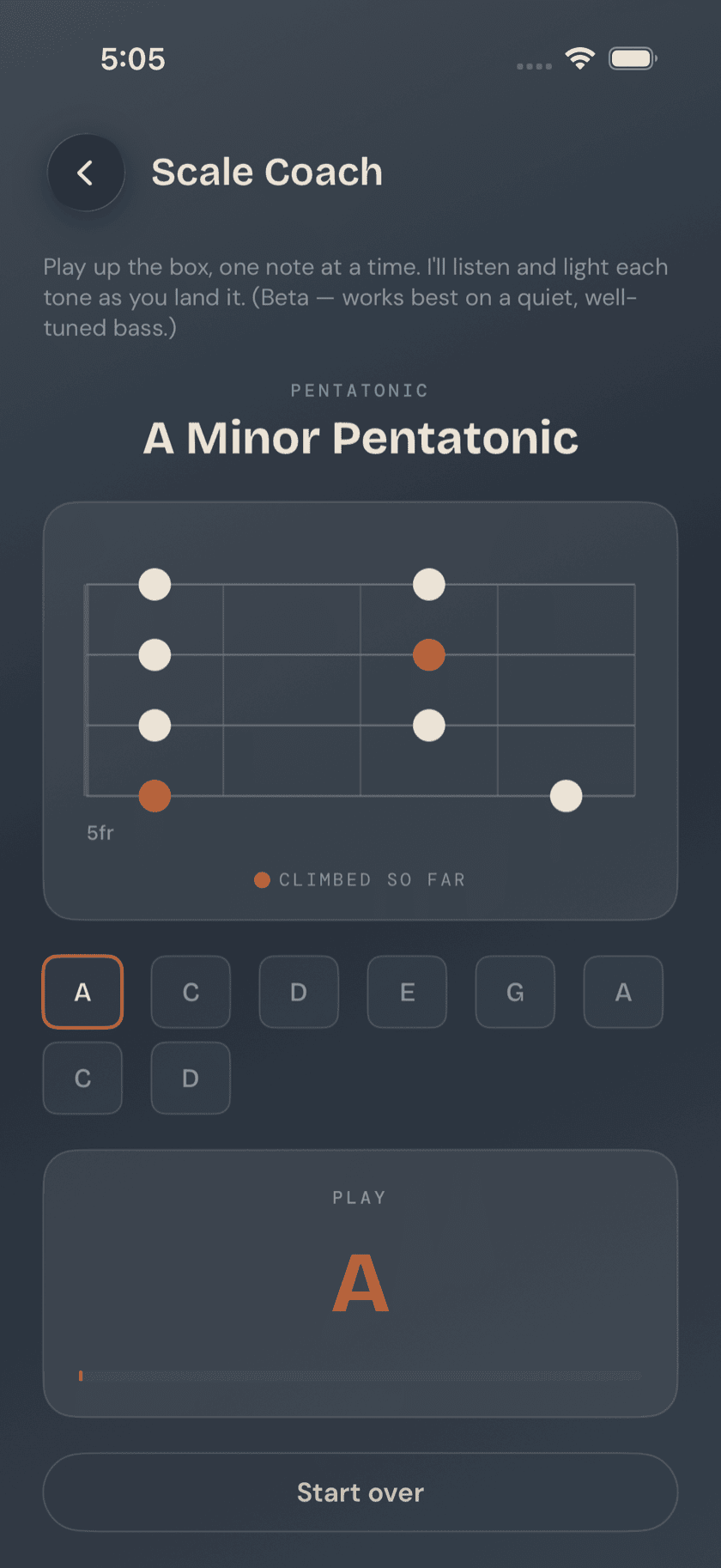
Scale Coach has you pick up the scale one note at a time, climbing the whole box in order while the app listens through the mic and lights each tone green as you land it. It's octave-agnostic and doesn't care what position on the neck you play from — hit the right note anywhere and it counts. That's deliberate: the goal is recognizing the scale's sound and shape, not pinning you to one fret.
Favorites & Recents
Heart any chord or scale from its detail page and it's saved for later — chords collect under the Saved category in the Chord Library. A "recently viewed" chip row sits at the top of both libraries too, so whatever you looked up last session is one tap away instead of a re-search.
A calmer way to sit with your bass.
Learn songs, capture ideas, jam over backing tracks, and tune up — free, local-first, on iOS, iPadOS & macOS.
Explore Bass Buddha →