Grooves
A pattern trainer for the physical vocabulary of bass playing — one-bar root, fifth, and octave shapes you loop over any chord, hear at a crawl, then let build up to speed on their own.
Chords tell you what to play against. A groove is what you actually play. Almost every bassline is a handful of one-bar shapes repeated and varied — a root-fifth pump, an octave jump, a short walk into the next chord, a ghost note dropped in for feel — and Grooves, reached from its own tile in the Practice Hub, is where you drill those shapes on their own until your hand plays them without you thinking about the neck. It's the tool that does for bass what a strumming pattern does for guitar, except the thing you're looping isn't a strum direction — it's a sequence of notes and rests built off whatever chord you're sitting on.
Worth a quick note: this isn't the same as the groove picker inside Jam. That one swaps the whole band's feel — Rock, Blues, Reggae, and so on — live while you play. Grooves the practice tool is narrower and slower on purpose: one bar, drilled until it's automatic.
The pattern library
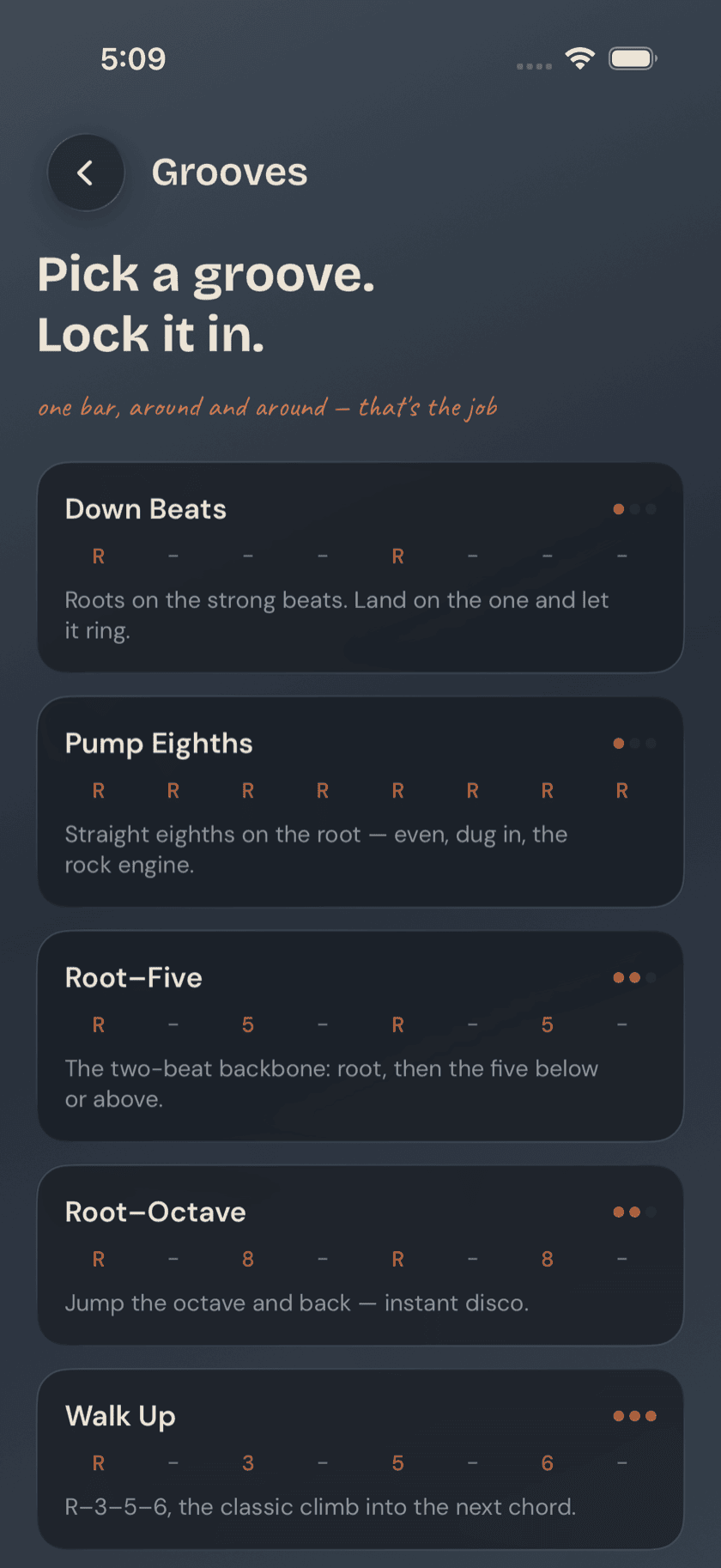
Open Grooves and you get a scrolling list of named patterns, each one bar long and shown as a short row of symbols — something like R · 5 · R · 5 for a root-fifth pump, or R · 8 · R · rest for an octave jump. You're reading scale-degree shorthand, not tab: R for root, 5 for fifth, 8 for octave, a rest where you'd normally lay out. A small dot indicator next to each name marks how demanding the pattern is, and a one-line blurb underneath describes the feel in plain language — locked-in, bouncy, walking, syncopated.
The patterns fall into a few families: root-five shapes for the simplest pumping basslines, octave jumps for that classic disco-and-funk bounce, short walks that lead your ear into the next chord, and patterns built around a ghost note or two for groove and swagger. None of them are written against a specific key. They're built from chord tones, not frets, so the same one-bar shape you drill here drops in under any chord you're actually playing — practice it once, use it everywhere.
Practicing a pattern
Tap a pattern and it opens in the player. A count-in gives you a bar to get your hand in position before the loop actually starts — there's no dropping in cold.
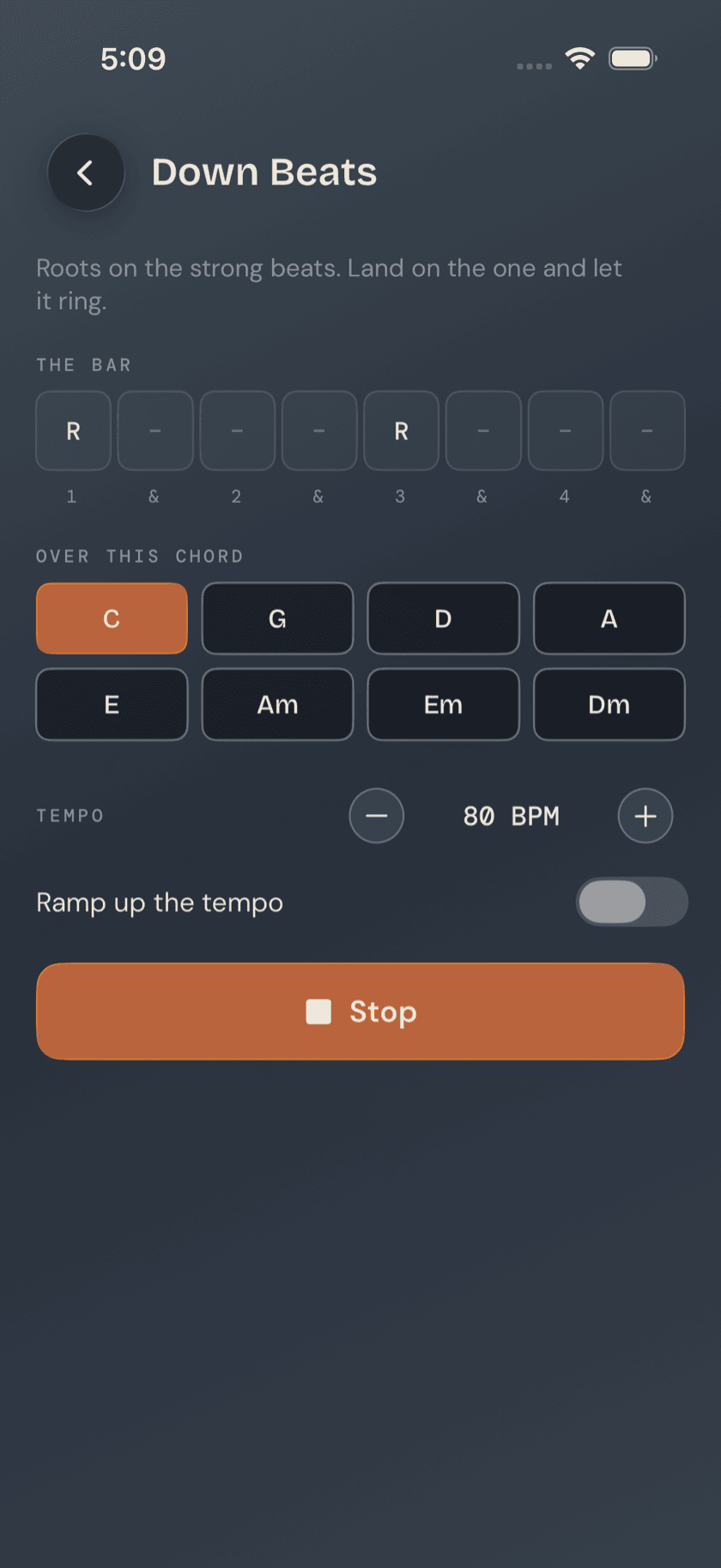
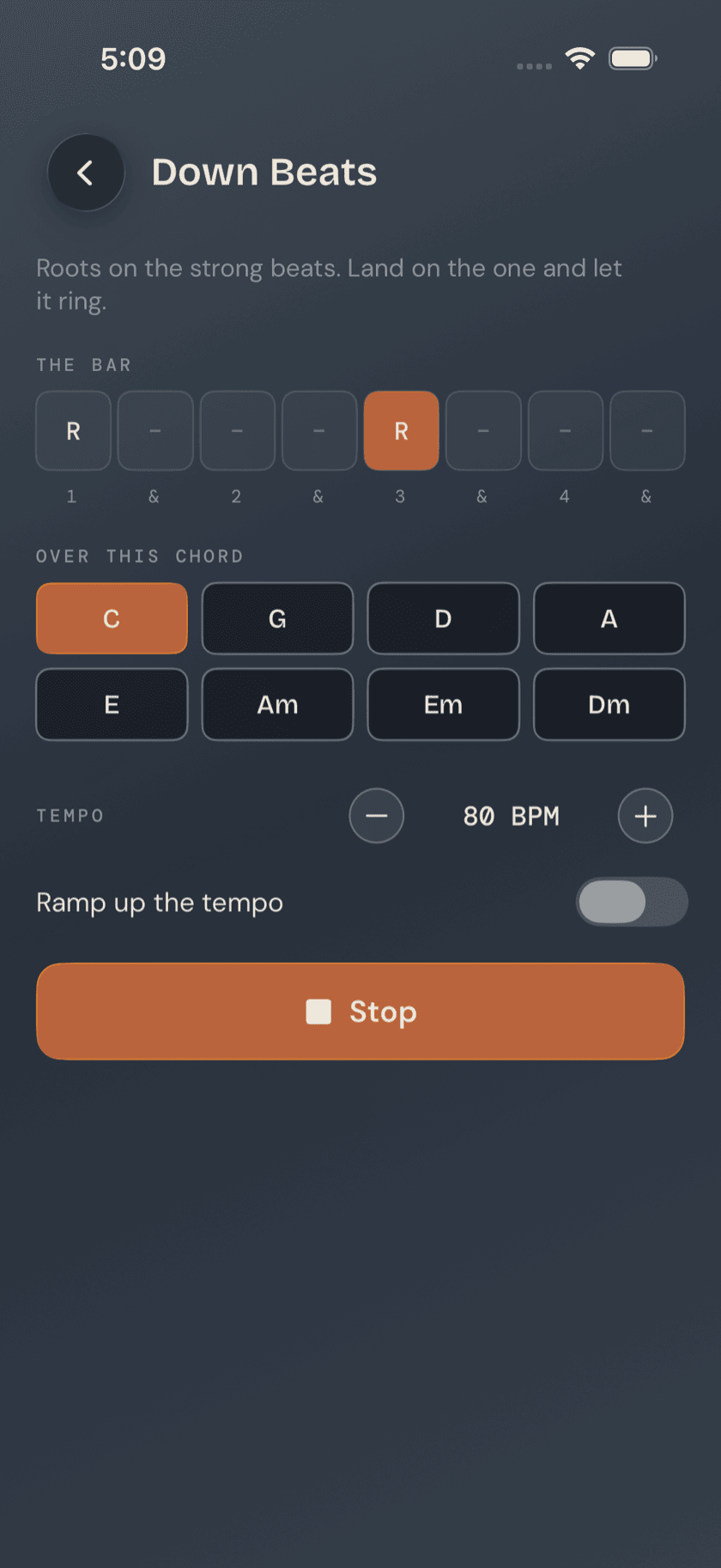
Once it's running, a live step highlight moves across the pattern's symbol row in time with the beat, so you always know which note you're supposed to be on without silently counting bars in your head. The pattern loops for as long as you leave it running — there's no set number of reps, no timer pushing you along.
Building speed
Tempo is a slider you set yourself, and next to it sits a speed up gradually toggle.
Worth knowing: the ramp doesn't just play the pattern faster — it raises the tempo gradually over the course of the loop. You learn the shape slow and clean, with time to actually see your fretting hand land in the right spot, and let speed build on its own instead of being forced to keep pace with a tempo your hand hasn't caught up to yet. For shapes with a position shift in them, that slow start is the difference between learning the pattern and learning to fumble it quickly.
A calmer way to sit with your bass.
Learn songs, capture ideas, jam over backing tracks, and tune up — free, local-first, on iOS, iPadOS & macOS.
Explore Bass Buddha →