Jam
A full-band backing track — drums, bass, and keys generated live rather than looped from a file — that starts the second you press play, so you can lock into a groove or solo without a song in front of you.
Jam is what you open when you want to play without a plan. There's no song to pick, no chart to read — just a groove, a key, and a band underneath you. It opens from Home's Just jam card rather than living in the tab bar, because it isn't somewhere you browse. It's something you drop into.
Picking a backing-track style
Jam opens already playing. There's no countdown, no "get ready" screen — press play and the band is there immediately.
A row of backing-track styles sits above the drums: Rock, Blues, Reggae, Funk, Shuffle, and more, each one swapping the whole feel the moment you tap it. (Practice Hub also has a tool called Grooves — a bassline-pattern trainer for practicing specific patterns on your own. Different feature, same word. This row just sets the vibe for the live band behind you.) Below that, the drum pattern itself is editable — a live 16-step grid across kick, snare, and hi-hat. Tap a cell and it toggles on or off in real time, while the band keeps playing underneath your changes. The presets are a starting point, not a limit.
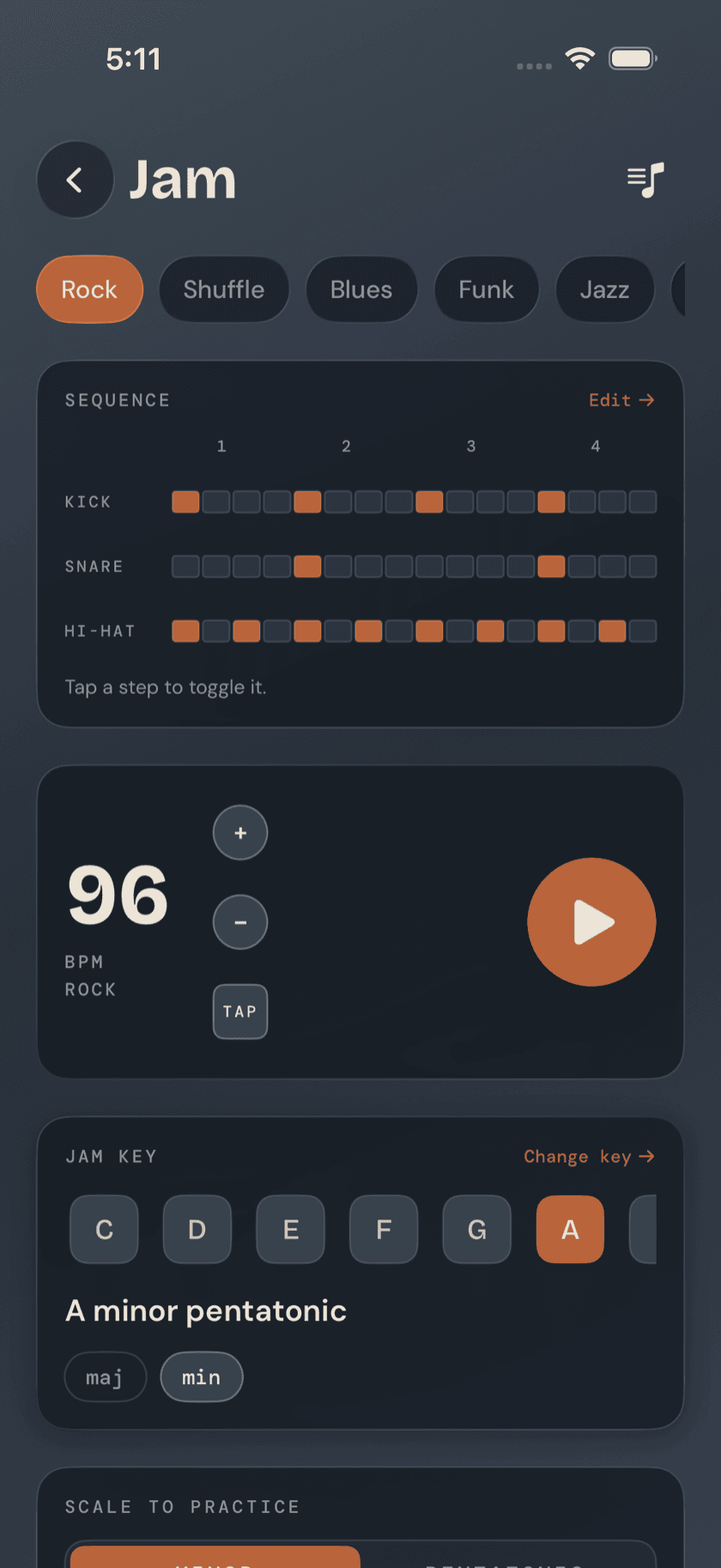
Worth knowing: Jam skips the count-in when you open it — press play and you're in. Recording is the exception: turn on the optional 3-2-1 there if you need to land on beat one clean. Bolting a count-in onto every launch would just be friction when you opened the app to lock in a groove for five minutes between other things.
Key and scale
Pick a key and a mode — major or minor — and the band transposes to match. Next to it, a bass neck diagram lays out the scale that goes with what's playing: the recommended scale for the key and mode you picked, plus a pentatonic alternative if you'd rather keep it simpler. Four strings, EADG, with a dot on every note in the scale — you know what to walk or solo with before you've played a note.
The band editor
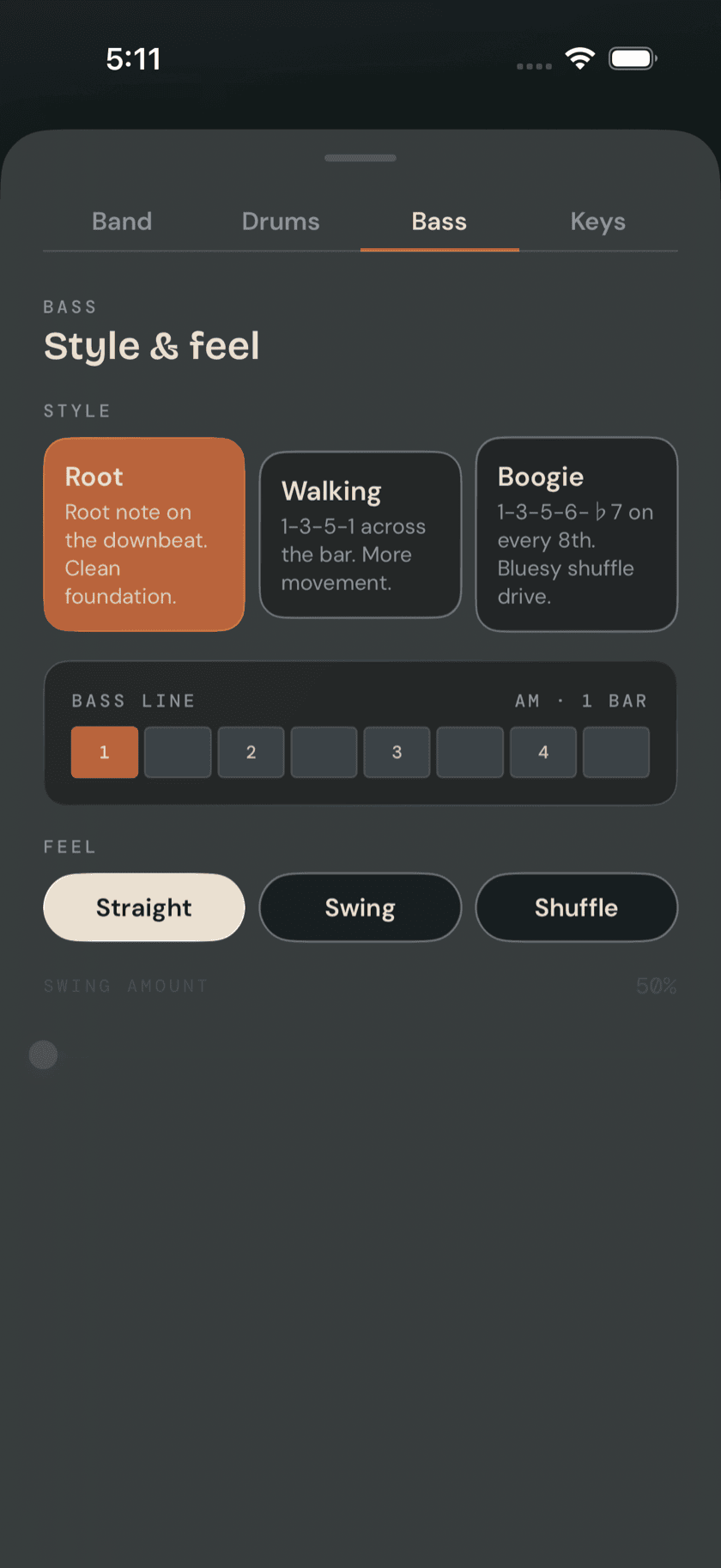
Open the band editor and you get a tabbed sheet with each part controlled on its own: mute the drums outright, choose the backing bass's style and feel, pick a keys instrument and pattern. None of it's locked together — mute the backing bass and leave room for your own line over drums and keys, or strip it down to one instrument, however the moment calls for it.
Recording a take
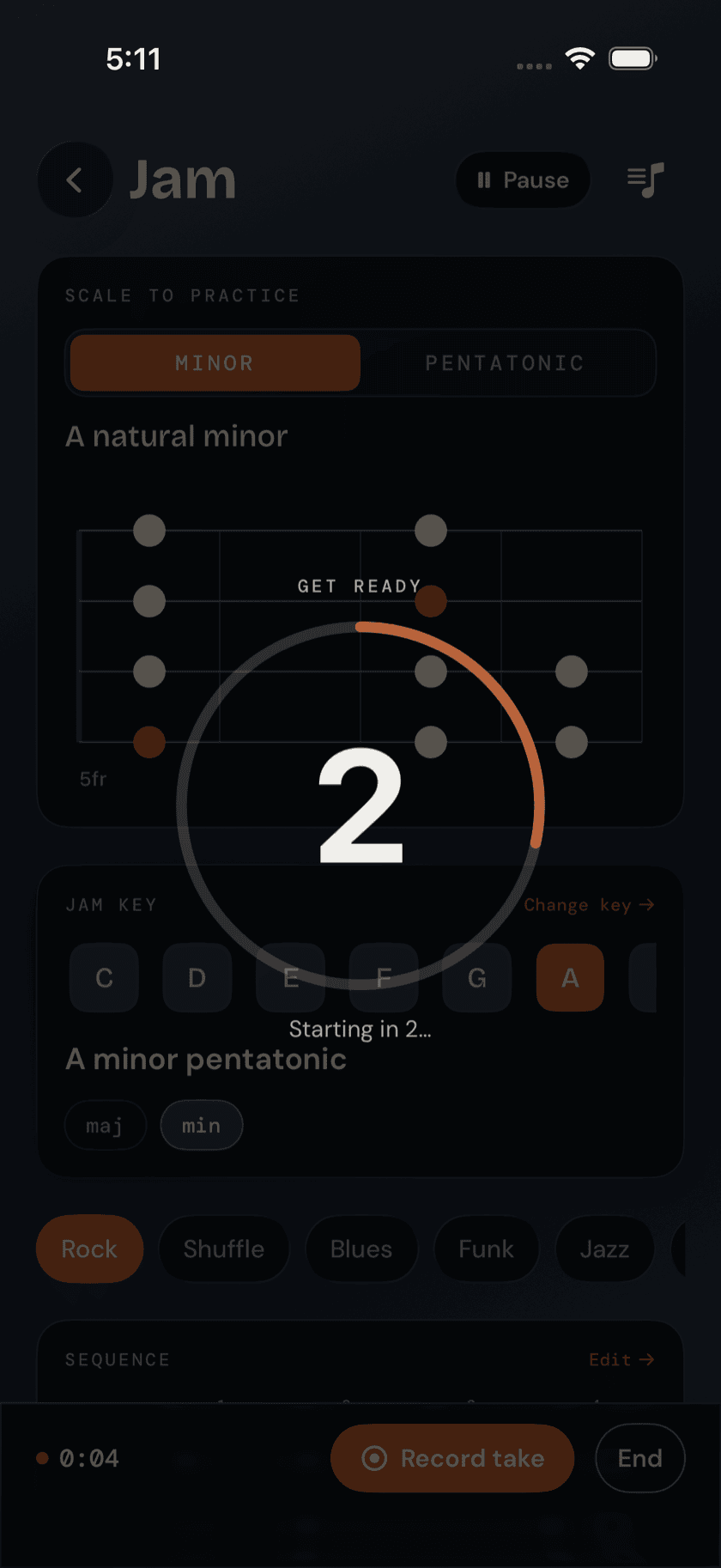
One tap records the mic — your bass plus whatever the backing is playing through the speaker — into a saved Jam Take. Turn on the optional 3-2-1 count-in first if you want a clean run-up instead of starting mid-thought. Takes are listed afterward, playable right there, and exportable or shareable like any recording in the app.
Exporting the band
Separately from recording yourself, you can capture the backing track on its own — drums, bass, and keys, no mic involved — to a shareable audio file. Useful for practicing over the same backing outside the app, or handing a groove to a bandmate without your playing baked into it.
Saving a setup
Once a style, key, tempo, and band combination is worth keeping — including any edits you made to the drum pattern — save the whole thing as a named setup. Recall it later and you're back exactly where you left off, without rebuilding it from scratch.
Performance Mode
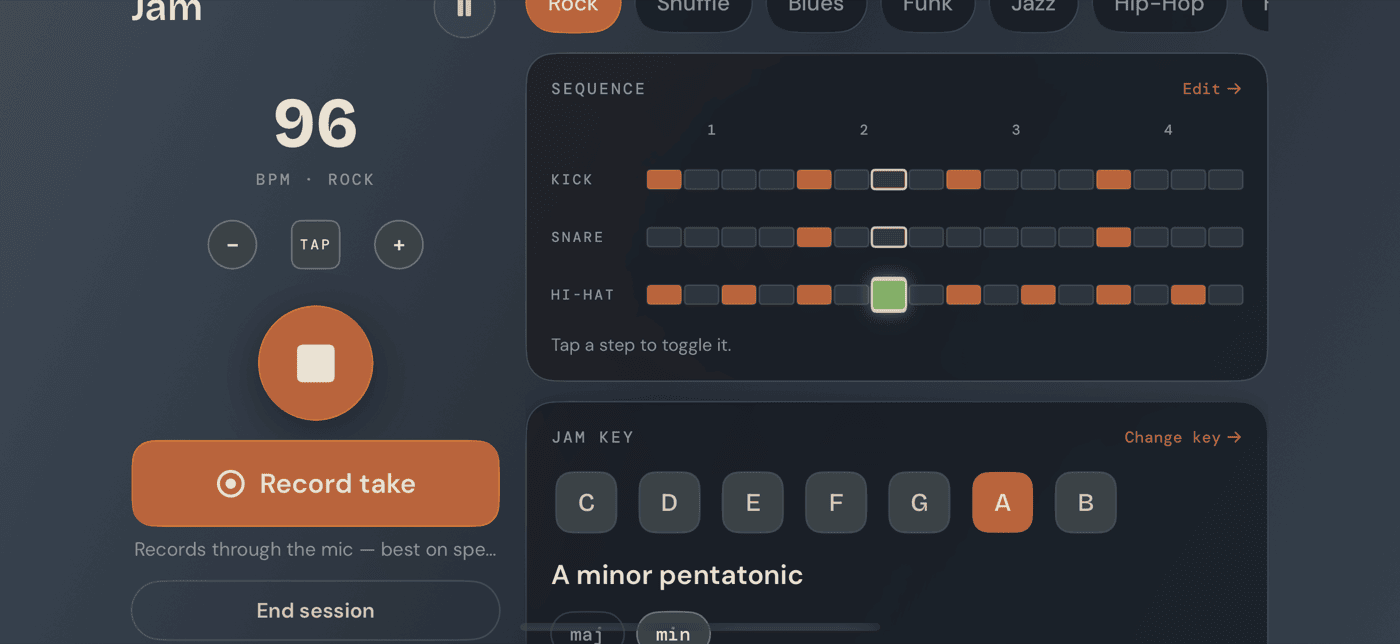
Turn the device sideways and Jam switches to a wide, hands-free layout: a big BPM readout and the transport on the left, style pills, the drum sequencer, and the key/scale diagram on the right. It's built for propping the phone or iPad on a music stand and playing without touching the screen — everything you'd need to glance at is sized to read from a few feet back.
A calmer way to sit with your bass.
Learn songs, capture ideas, jam over backing tracks, and tune up — free, local-first, on iOS, iPadOS & macOS.
Explore Bass Buddha →