Fretboard Tools
Two tools built around one idea — knowing where every note actually lives on the neck, separate from any single chord shape or scale pattern.
Every chord and scale you've learned so far is really just a shape — a pattern you can slide up and down the neck without necessarily knowing what's underneath it. The Fretboard tools are where you learn what's underneath: every note, on all four strings. They live in their own Fretboard card on the Practice Hub, apart from the chord and scale libraries, because this isn't a lookup job — it's a drilling one.
There are two ways in: quiz yourself, or keep a reference handy.
Fretboard Trainer
The Trainer is a note-naming quiz, and it runs in two directions. Find this note names a note and asks you to tap where it lives on the neck. Name this note flips it — a fret lights up, and you pick the correct letter from a list. Both test the same knowledge from opposite ends, which is the point: knowing that the note at the 5th fret of the low E string is A doesn't automatically mean you can find A when someone just says the word.
You can filter the quiz to one string — E, A, D, or G — or leave it on all four, and to naturals only or naturals plus sharps and flats, so you can start narrow and widen it out as the easy answers stop being easy. Each round is 10 questions with a miss shown against the correct spot in green before you move on, and a plain tally at the end — no streak, no running score banked anywhere, just a chance to see how you did and go again.
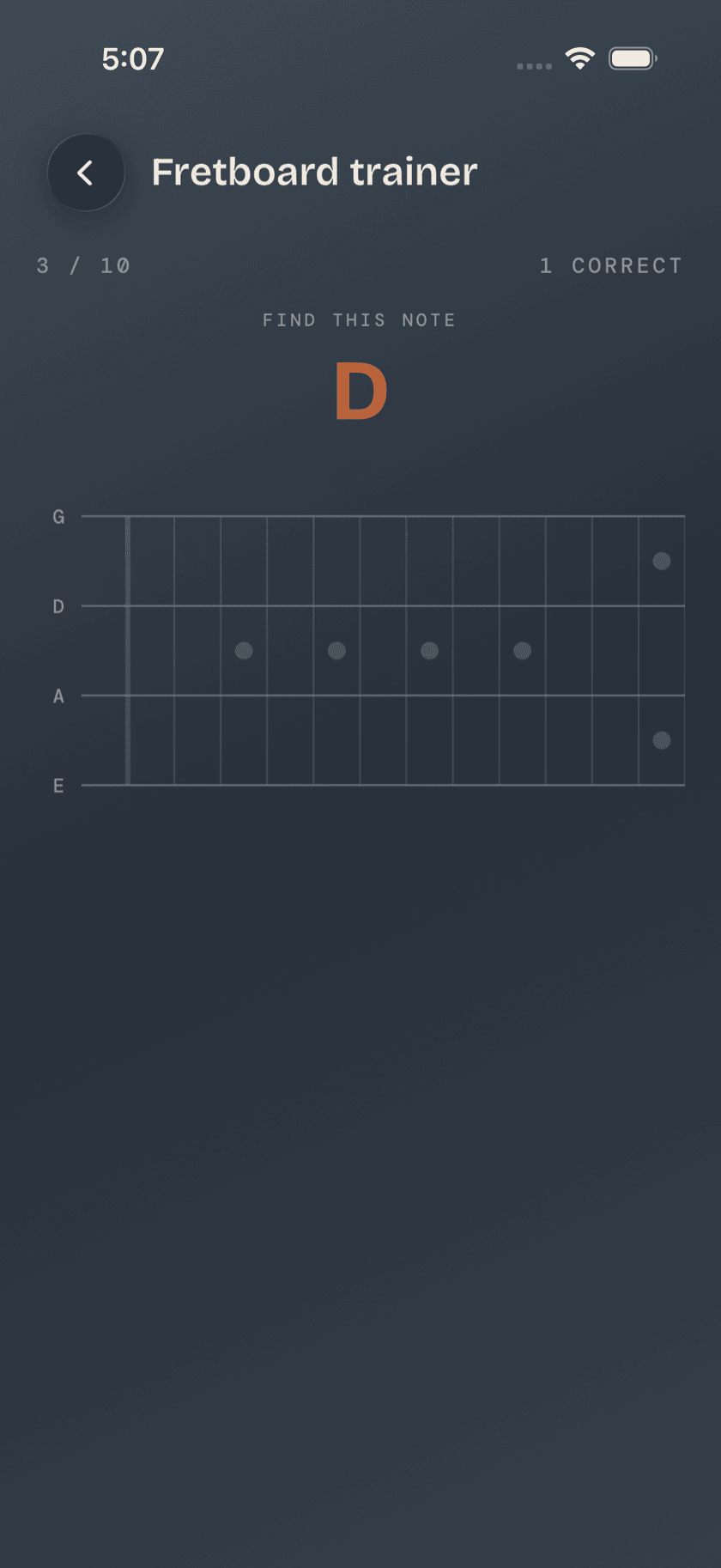
Bass players tend to learn the neck lopsided the same way guitarists do — solid at reading a fret, shaky at locating a name, or the other way around. Drilling only one direction leaves the other blind spot untouched, which is why the Trainer keeps mixing both into the same round instead of letting you settle into just the one you're already good at.
Cheat Sheet
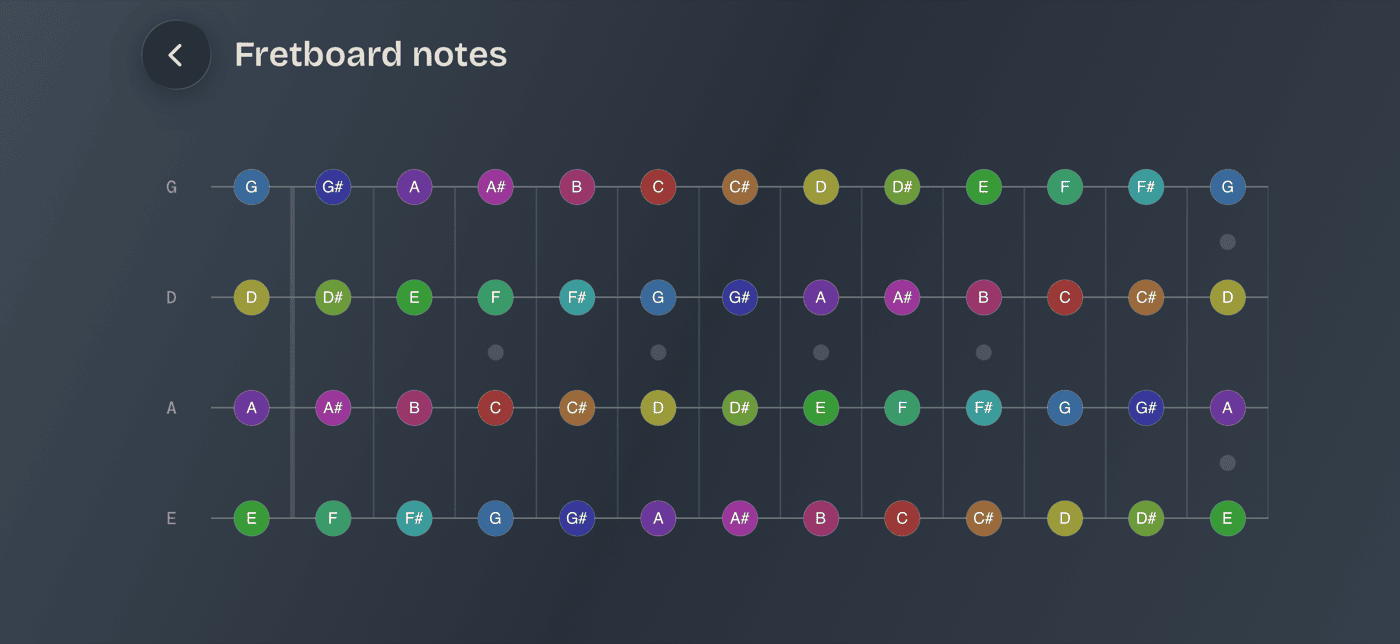
The Cheat Sheet is the opposite of the Trainer: nothing to answer, nothing timed. It's a static map of every note on all four strings from fret 0 to 12, all labeled at once. Meant to be glanced at while you're figuring something out mid-practice, not studied from top to bottom.
Every note is color-coded by pitch class — one consistent color per note name, so an A at the 5th fret of the low E string and the open A string read as the same color even though they're nowhere near each other on the neck. It makes repeats and octaves pop at a glance instead of making you read every label individually.
The whole neck doesn't fit on a phone screen in portrait, so the Cheat Sheet rotates to landscape — turn your phone sideways and the full 0–12 stretch appears in one view.
Worth knowing: if you've used Guitar Buddha, you might expect a third tool here — CAGED is the system that lets five open-chord shapes cover the whole guitar neck, and Guitar Buddha has an Explorer built around it. Bass doesn't need the equivalent. Bass voicings move between just two root-string families instead of five overlapping shapes, and that's already covered by the Movable filter in the Chord Library. Two tools is the whole toolkit here, not a placeholder for a third.
Scales get their own full-neck view too — open any scale's detail page and scroll down. That view marks every tone in that scale across the whole neck; the tools on this page mark every note there is, scale or no scale. Complementary jobs, same neck.
A calmer way to sit with your bass.
Learn songs, capture ideas, jam over backing tracks, and tune up — free, local-first, on iOS, iPadOS & macOS.
Explore Bass Buddha →