Progressions
A library of common chord changes that play behind a full rhythm section, so you're locking basslines into real harmonic movement instead of counting bars out over silence.
Knowing where a progression goes and locking into it while a band is moving are two different skills, and most practice tools only train the first one. Progressions is built around the second. Every progression here — a 12-bar blues shuffle, a ii-V-I jazz turnaround, the pop I-V-vi-IV, an Andalusian minor cadence, and more — plays with a real rhythm section behind it, so tracking the changes becomes something your ears and hands do together, not something you count out in your head.
The progression library
Progressions opens on a scrollable list: a key row up top that scrolls through all twelve keys, a Full band/Click toggle next to it, then a stack of cards — one per progression. Each card lays out its chord blocks in order, its genre, and its tempo, and every block is colored by harmonic role — tonic, subdominant, or dominant — instead of just labeled with a letter name. Tap a card's inline play button and the full band starts right there in the list, no need to open the progression first just to hear it. Heart a card and it jumps to the top of the list next time you're back.
There are forty-one of them, sorted into packs: Classics, Pop, Rock, Folk & Country, Blues & Jazz, Soul & R&B, Dreamy, Sad & Moody, and Reggae & Latin. The filter row above the list narrows it to one pack at a time. It's the quickest way in when you know the feel you're after but not the name of the progression that gets you there.
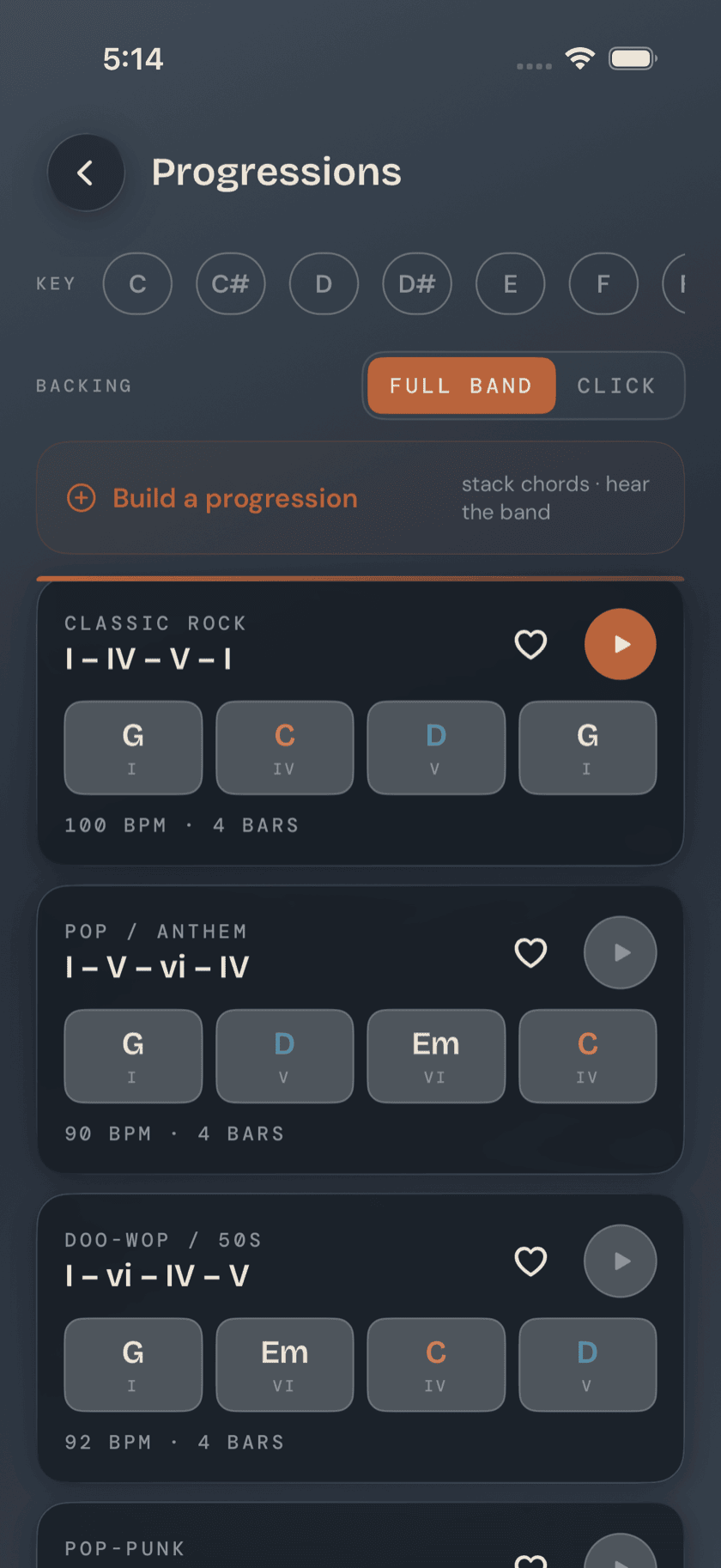
Worth knowing: coloring by role instead of by chord name is deliberate. A ii-V-I in G and a ii-V-I in D use different letters but the same underlying shape — subdominant into dominant into tonic. Once you're reading role instead of names, that shape jumps out across every key, which is most of what makes a progression like this worth learning in the first place.
Practicing a progression
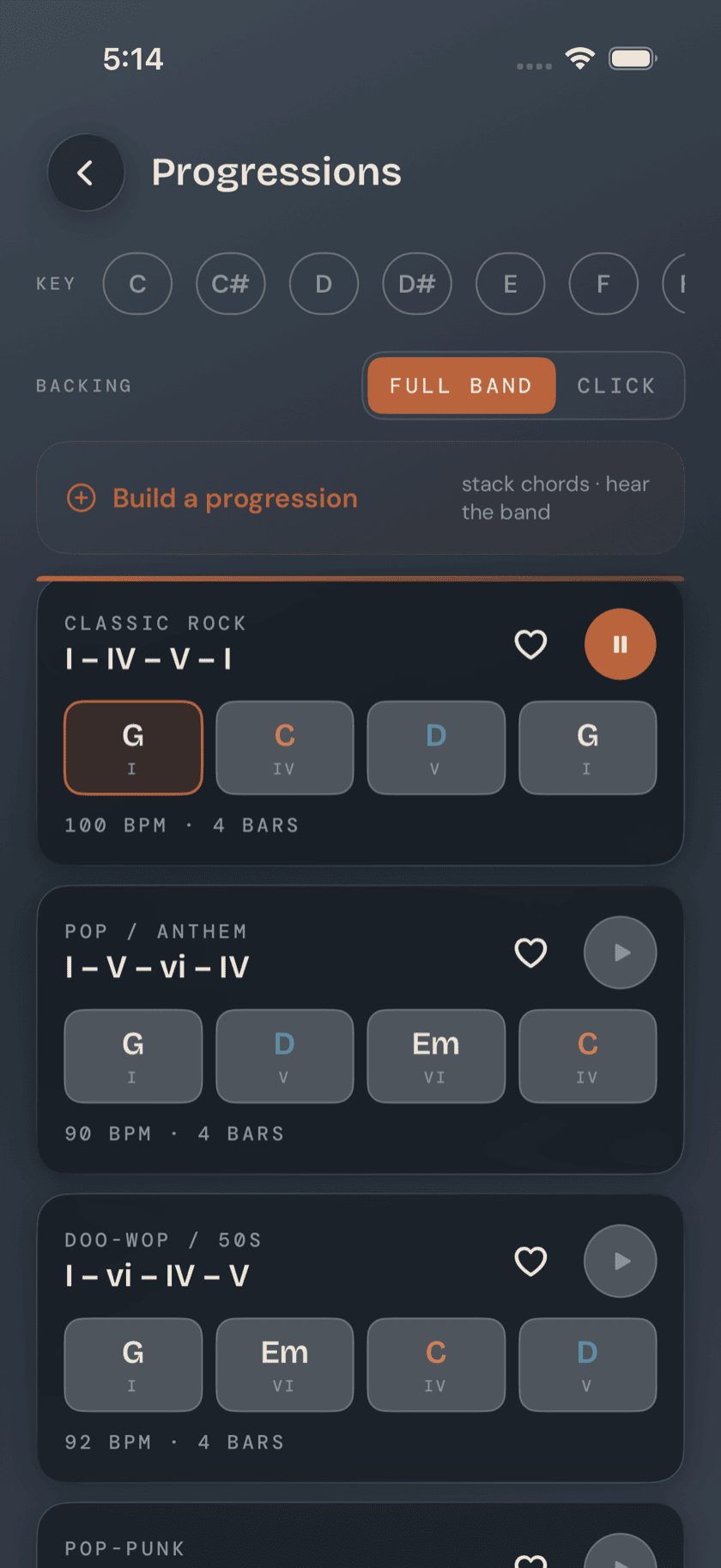
Tap into a card and it opens full-screen, one progression at a time. A key row up top lets you transpose without stopping playback. Below it, every chord in the progression sits in a grid with a NOW badge that tracks the live one as the band plays through — chords you've already passed dim out, so your eye stays on what's coming. Under that, a current-chord panel shows a four-string diagram for whatever chord is live, plus its name and Roman numeral (a handful of jazzier voicings fall back to name-only when there's no cataloged diagram for that exact shape). A bassline-feel indicator sits below that, pairing the articulation — root, walking, or boogie — with the feel — straight, swing, or shuffle. A progression reading ROOT · STRAIGHT spells that out underneath: root note, held under each chord. It's a read on how the bass wants to move under these changes, not an instruction. A scale-to-practice panel toggles between the progression's matching scale (blues for the 12-bar, natural minor for the minor cadences, major for the rest) and its relative pentatonic, mapped across the neck if you'd rather solo over the changes than play them straight. Tempo and swing controls stay within reach the whole time — swing only shows up on the progressions that actually swing.
Same chords, a different groove
The groove behind a progression isn't fixed. A row of grooves sits on the practice screen — the same set Jam uses, the band-feel row rather than the bassline-pattern trainer that shares the name — and picking a different one re-feels the whole rhythm section without touching the chords. A ii-V-I can swing or come back as a funk figure. A blues can stop shuffling and go straight. The changes stay exactly where they were; everything under them moves, the bassline-feel indicator included — it follows the groove, not the progression.
It's worth doing on purpose rather than idly. A progression you know cold under one groove has a way of falling apart under another, and finding out which ones those are is most of the value. On progressions you've built yourself the choice sticks, so a custom one always comes back the way you meant it.
Build your own
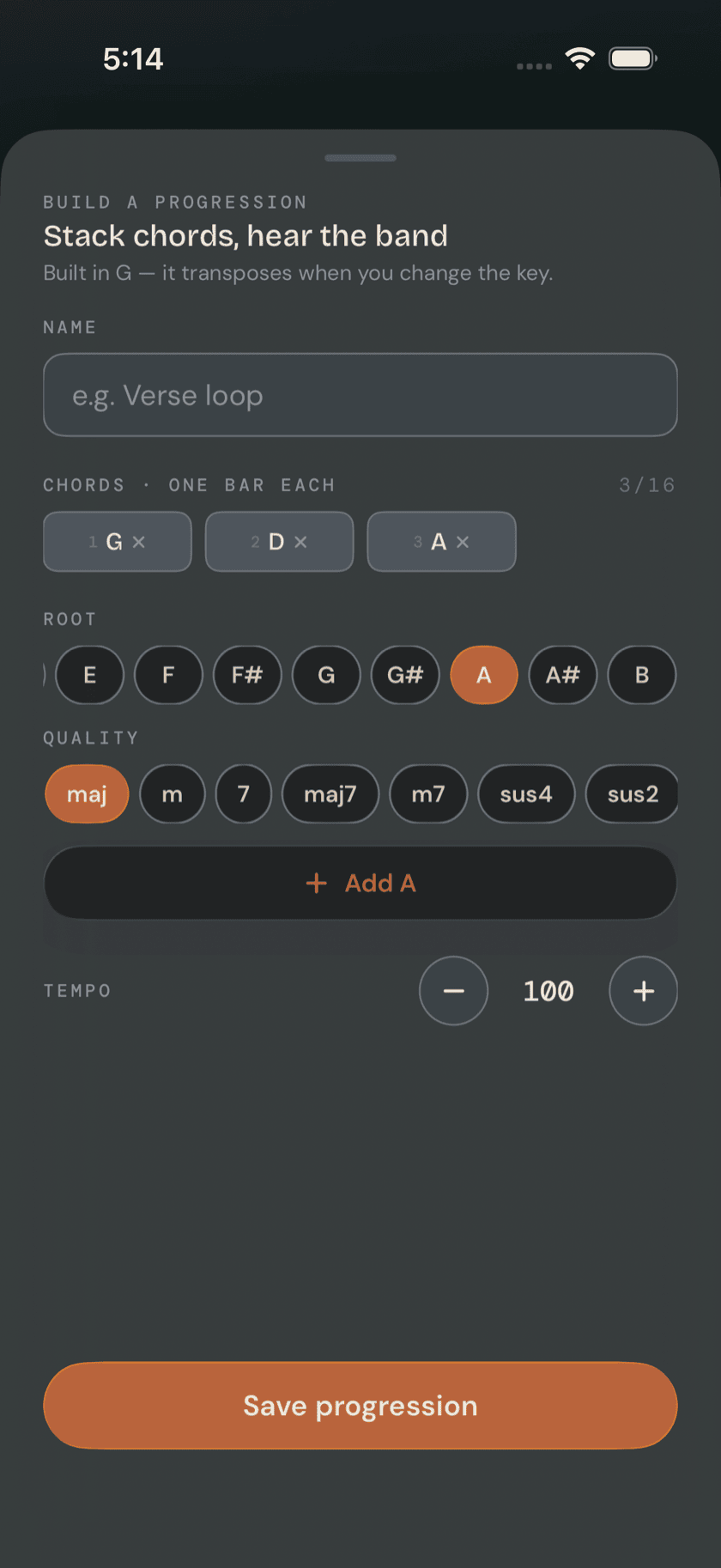
If the library doesn't have the change you're after, build it. A Build a progression entry sits right in the list, above the bundled cards — tap it and pick chords, stack them in the order you want, set a tempo, and save. A custom progression isn't a lesser copy of the bundled ones: it plays with the same full-band backing and transposes with the key row exactly like anything already in the library.
Pick a key and flip the major/minor toggle, and the builder leads with the chords that actually live there, in labeled rows: the seven that belong, then borrowed chords, then secondary dominants. Each chip carries its Roman numeral — uppercase for the major chords, lowercase for the minor — so the shape of the key stays visible while you work. The full root-and-quality picker is still underneath if you want a chord from outside it.
Chords don't have to take one bar each, either. Tap a chord you've added and you can set it to hang for one, two, or four bars, up to sixteen bars total. Most songs move that way — two bars sitting on the tonic before anything happens — and a loop built one-chord-per-bar rarely walks like the song you had in mind.
Anything you build shows up in its own Your progressions section above the bundled list, with an edit/delete menu in place of the heart the bundled cards use. Delete asks you to confirm first — hand-built progressions don't have a Recently Deleted safety net the way songs and ideas do, so once it's gone, it's gone.
Full band or just a click
Every progression, bundled or your own, plays two ways: the full drums/bass/keys arrangement, or a plain metronome click with the chords still advancing on schedule. The band's reference bass line is there so you can hear exactly where the root sits under each chord while the changes are still new — it's a guide, not something you're meant to double. Switch to Click once you don't need that anymore, and you're the only bass in the room.
A calmer way to sit with your bass.
Learn songs, capture ideas, jam over backing tracks, and tune up — free, local-first, on iOS, iPadOS & macOS.
Explore Bass Buddha →